Is Your Email Set Up Safely? A Free Check, in Plain English
Most organisations never look at the settings that decide whether their email can be trusted. They're invisible, they were set up years ago by someone who has since moved on, and nothing tells you when they're wrong.
So we’ve built something to tell you.
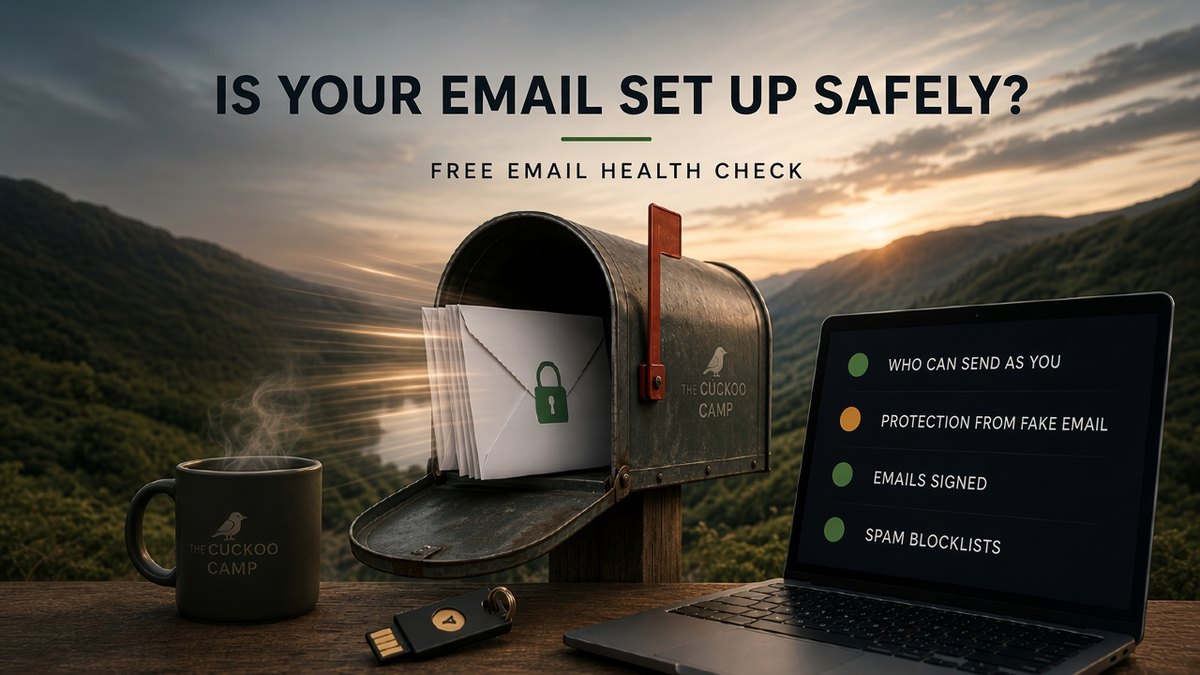
The free email health check looks at your domain and explains, in plain English, whether your email is set up safely. It takes about 15 seconds, there’s nothing to sign up for, and it works for anyone — whether or not you’re a client of ours.
Why it matters
Email has a quiet problem: by default, anyone can send a message that claims to come from you.
The protection against that lives in a handful of records attached to your domain. They tell the rest of the internet which services are allowed to send as you, how to tell genuine mail from fakes, and what to do with the fakes.
When those records are missing or wrong, two things tend to happen.
Fraudsters find it easier to send convincing emails in your name — invoices, payment requests, “urgent” messages to your members or customers.
And your genuine email is more likely to end up in spam, because receivers have no way to confirm it’s really from you. The large email providers have been steadily tightening their rules here, so set-ups that used to get by increasingly don’t.
The frustrating part is that most of these problems are quick to fix. People just don’t know they’re there.
What it checks
You enter your website or email domain — or simply paste an email address, and the tool works out the domain. It then answers ten questions:
- Have you listed who can send your email? (SPF)
- Can someone fake emails from you? (DMARC)
- Are your emails signed? (DKIM)
- Can your domain receive email?
- Is your email protected in transit? (MTA-STS)
- Will you hear about delivery problems? (TLS reporting)
- Is your mail server on a spam blocklist?
- Is your domain’s DNS set up reliably?
- Is your website secure?
- Does your logo show in inboxes? (BIMI, which is optional)
The acronyms are there for anyone who wants them. You don’t need to know what any of them mean.
Results you can actually read
Each answer comes back as a traffic light with a label — Needs fixing, Worth improving, Good, or For information — and a sentence or two explaining what it means for you.
You can watch the results arrive as each check finishes, with a running count of greens, ambers and reds at the top.
If you have someone who looks after your IT, every result has a Technical details section with the raw records they’ll want to see. There’s also a link you can copy and send them, which opens the same check for your domain.
Not every amber is a crisis. Some items are genuinely optional, and the results say so. The aim is to show you what matters, what can wait, and what you can safely ignore.
What it doesn’t do
The check only looks at public DNS records — the same information anyone on the internet can look up about your domain.
It doesn’t read, receive or store your email. It doesn’t need access to anything. And there’s no sign-up, because we don’t need to know who you are to tell you how your domain looks.
To keep automated abuse out, the page is protected by Cloudflare Turnstile, which runs invisibly in the background. Most people will never notice it.
Want to go further?
Once you’ve seen your results, you can ask for a full report.
That runs a deeper check from our own servers, including how your mail server responds and whether it identifies itself properly, and a more thorough look at spam blocklists. We then email you a plain-English report with a fix list: what to do first, and how.
Before anything is sent, we email you a link to confirm your address. That step matters. Without it, anyone could ask us to send a report to an address that isn’t theirs. Once you’ve confirmed, the report arrives a few minutes later.
If you’d like, you can also ask for a free 20-minute call to go through it together. That’s entirely optional, and you won’t be added to a mailing list either way.
Why we built it
Over the last few months I’ve written about rebuilding our email platform and what we’ve done to look after the mail we host. The checks in this tool are the same ones we run on our own platform.
But most of the organisations we talk to — charity treasurers, Lodge secretaries, small business owners, creators — aren’t asking whether to move platforms. They’re asking something simpler: is my email OK?
Until now, answering that properly meant either understanding a wall of technical output, or paying someone to look.
This is a check, not a full audit. It won’t find everything, and a green result doesn’t guarantee nothing can ever go wrong. But it will tell you quickly whether the basics are in place, which for most organisations is exactly where the real risks are.
Check your email health. It takes about 15 seconds.
And if you know someone who’d find it useful — the treasurer, the secretary, the person who “does the IT” — please send it their way.
How does your email measure up?
Check your own domain in about 15 seconds. No sign-up, no jargon, and nothing to install.